
Less repetitive work
Automate routine tasks and reduce manual effort.
Scope a knowledge assistant, a connected workflow or an API integration around a specific operational task. Start with accessible data, a responsible owner and a way to evaluate the result.
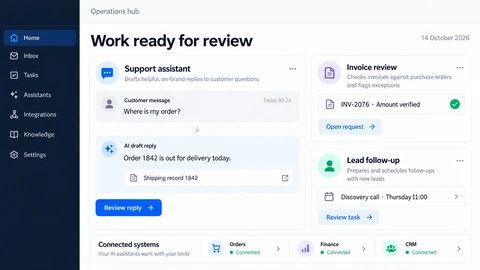
Automate routine tasks and reduce manual effort.
Bring your systems and data together, so work flows.
Give your team useful tools with clear human oversight.
Choose the task before the technology. A deterministic integration may need no AI; interpreting documents or preparing draft answers needs source controls, evaluation and review.
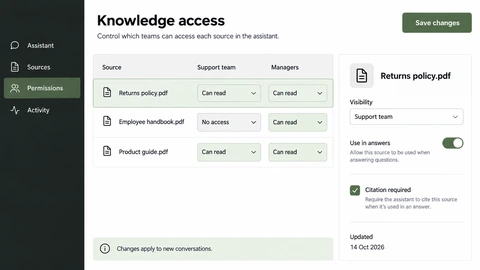
Find useful answers in your business information.
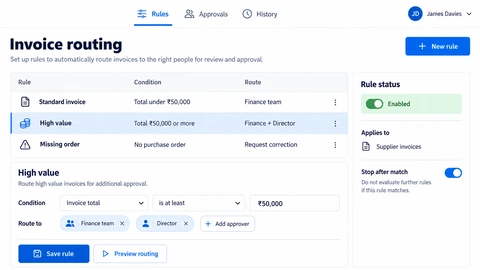
Connect routine tasks into a clearer workflow.
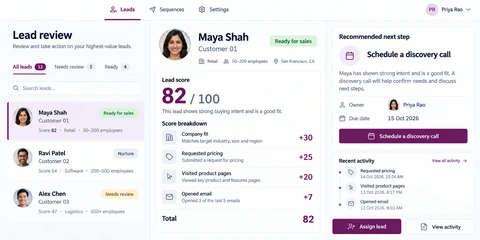
Keep leads and follow-up moving forward.
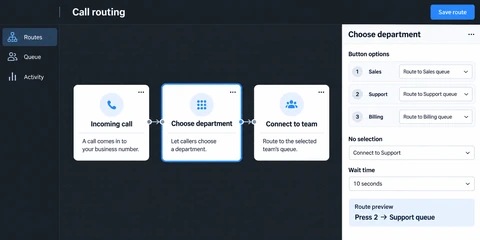
Support conversations with clear human handoffs.
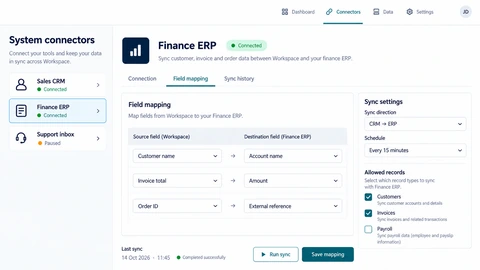
Bring your tools and data together.
Identify the input, current handling time, exceptions, permissions and the person responsible when the workflow cannot proceed.
Connect one complete task using representative cases. Keep consequential actions behind agreed approval while evaluating errors and recovery.
Compare time, accepted outputs, escalations and operating costs with the baseline, then decide whether to expand or change the pilot.
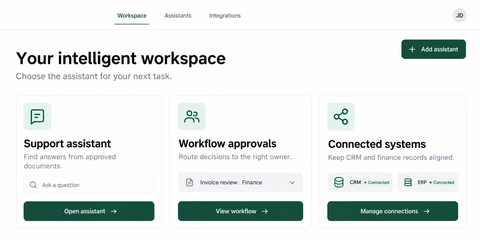
Explore the interface, then open any image at its original resolution.
One connected team. Clear decisions.
Your involvement at every important step.
We listen to your goals, users and constraints, and agree what success looks like.
Together, we define the scope, choose the right tools and set clear milestones.
We design, develop and integrate your solution, with working progress to review.
We test the experience, gather your feedback and prepare a thoughtful handover.
Straightforward answers to common questions.
Choose a frequent task with stable inputs, accessible systems and mistakes that can be checked. Our AI automation guide explains how to rank candidate workflows.
Feasibility depends on supported APIs, provider licensing, available events and permissions. A connection assessment comes before promises of synchronisation.
We agree review and approval steps for important actions. AI suggestions can be checked and edited, with clear paths to human support.
Explore the screens and decisions behind related user journeys. Each case study explains its project context; the service choice for your own project follows your requirements.
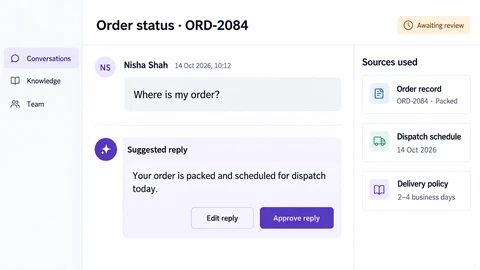
Original conversation beside the draft · Visible source-record context · Explicit reply editing and approval.
Read the project case study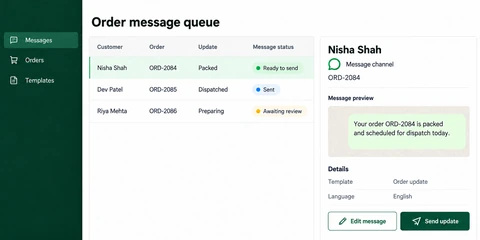
Order-referenced message queue · Template and language context · Message preview, editing and sending states.
Read the project case study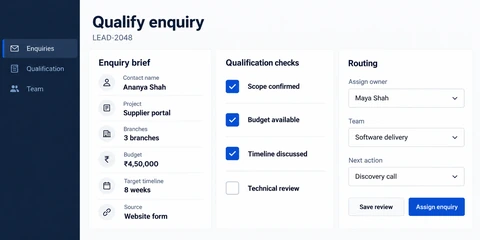
Structured project enquiry context · Separate qualification checks · Owner, team and next-action routing.
Read the project case studyDescribe the repeated task, existing tools and review requirements. Read our AI automation planning guide to prepare an initial workflow brief.