
Dependencies beside the task
Each task appears with its prerequisite in the same table. Catalogue preparation, checkout review and release work form a readable sequence, making relationships visible without requiring a separate document.
A project-management workspace connecting task dependencies, ownership, deadlines and team workload in a single planning context.
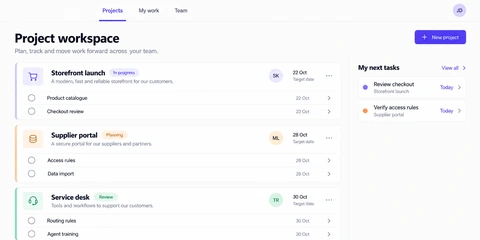
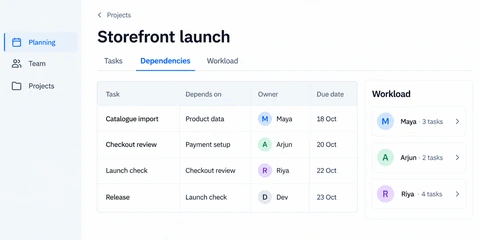
The planning screen uses a storefront launch as its project context. It links tasks to their dependencies and owners, while a workload panel keeps the team’s current assignments visible. The information structure supports the question behind planning: what can move next, and who is responsible?
Each task appears with its prerequisite in the same table. Catalogue preparation, checkout review and release work form a readable sequence, making relationships visible without requiring a separate document.
The owner and deadline remain alongside each dependency. This connects sequencing with responsibility and timing, instead of treating task order and staff assignment as unrelated reports.
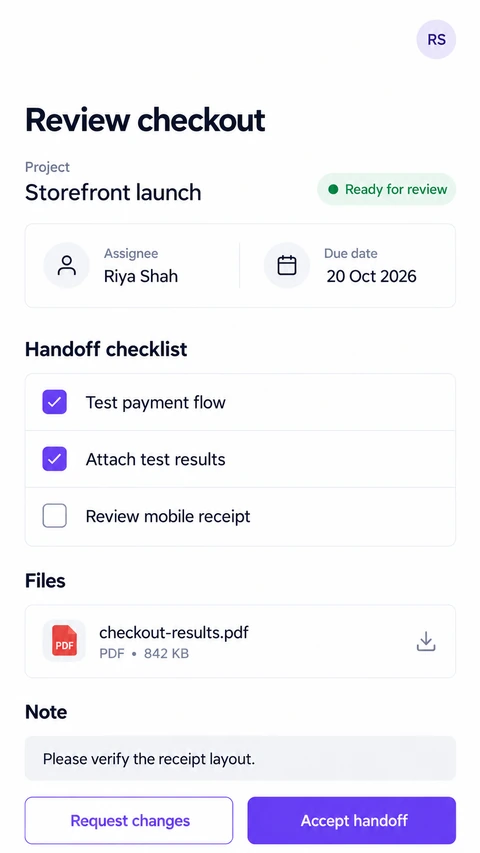
The side panel summarises assignments for the people involved in the plan. Tasks, Dependencies and Workload navigation offer different views of the same project. Mobile screens extend access to the team’s project information.
A planning dashboard should expose relationships between work items, not just display a task count. Dependencies, ownership and dates belong in the same decision-making context.
Explore the relevant development service for this project workflow to discuss your requirements.
A proposed engineering design for this workflow. The enterprise scenario and stack below are illustrative architecture choices; they are separate from the confirmed project screens.
A product organisation coordinates releases across several teams, with dependency chains, shared specialists and project-level access restrictions.
Architecture objective: Keep dependencies and assignment changes consistent while giving planners useful read models that can be rebuilt from authoritative project data.
React, TypeScript and accessible data-grid components
Connect task, dependency and workload views without duplicating their underlying business definitions.
Python with Django and Django REST Framework
Validate dependency changes and authorise commands against the project rather than the visible navigation state.
PostgreSQL with versioned task and dependency records
Check graph changes for cycles and guard concurrent edits with appropriate transactional rules.
Django Channels, Redis and snapshot-based reconnects
Refresh connected planners while allowing missed updates to be repaired from stored state.
OIDC, project membership rules and audited administration
Separate organisation membership from permission to view or modify a specific project.
A drag-and-drop action can introduce an impossible release plan. Validate the resulting graph on the server and return the conflicting path.
Several planners can update dates or ownership together. Use version-aware commands and present a conflict rather than silently overwriting another decision.
Task count is not capacity. Keep the calculation, date window and included statuses explicit so the view supports a real staffing decision.
Start with a relational dependency model and explicit graph validation. A dedicated graph database is justified only by actual query and scale requirements, not by the presence of connected tasks.
Architecture references: Django documentation, Django Channels and PostgreSQL access policies. These describe engineering patterns, rather than certify this project’s implementation.
Use the project to discuss the task and the information your users need. Then define the integrations, access rules and release scope for your own business.
Bring your idea. We’ll help you find a clear way forward.