
Custom CRM
Development
Build a CRM around your actual sales and service process: enquiries, customer records, follow-ups and the handoff after a deal closes.
Discuss your project
Custom CRM scope
A custom CRM makes sense when an existing product forces important work into spreadsheets or cannot support your permissions and integrations. Start by comparing configuration with a custom build; a familiar off-the-shelf tool may already solve the problem.
Customer records
Agree the fields, duplicate rules and relationship history your team needs before importing existing contacts.
Pipeline and ownership
Define deal stages, task reminders, assignment rules and what happens when an enquiry changes owner.
Connected reporting
Bring agreed email, form and business-system events into a shared view with role-based access.
Planning custom CRM
- 1
Map one complete sales journey
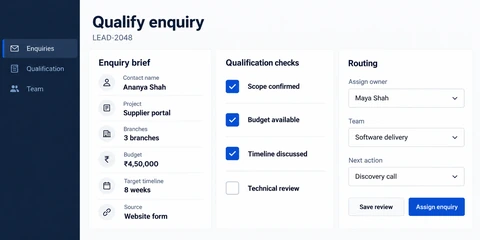
Follow an enquiry from first contact through qualification, approval and handover. Identify missing information and decisions that currently happen outside the CRM.
- 2
Prototype records and permissions
Review the contact model, pipeline screens and access rules with the people who use them. Reconcile a sample migration before moving the full dataset.
- 3
Release with a usable handover
Test assignment, search, reporting and integrations. Agree import checks, administrator guidance and the owner of future configuration.
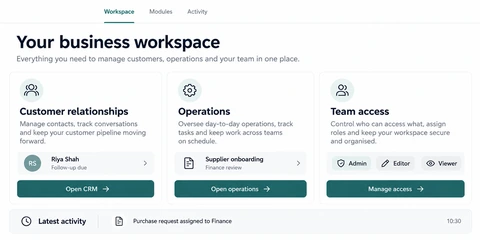
See the details.
Across every screen.
Explore the interface, then open any image at its original resolution.
Desktop experience
1 / 1Custom CRM
Scope, tradeoffs and preparation for your project.
Should we customise an existing CRM instead?
Often, yes. Compare licensing, workflow limitations, integration access and ongoing maintenance before commissioning custom software. A custom build needs a clear operational advantage.
Can we migrate our spreadsheets?
Migration depends on record quality and volume. We first map columns, identify duplicates, agree ownership and test a sample import with reconciliation checks.
What affects CRM development cost?
The data model, number of user roles, migration work, automation rules and external connections. Bring a sample record and pipeline to help define a focused first release.
How we would validate this scope
Agree the important success and failure paths before development. These proposed checks help turn the service description into a reviewable delivery brief.
- A repeated import resolves duplicate contacts according to an agreed identifier and ownership rule.
- A sales user cannot access a protected account by changing its record identifier.
- Competing lead assignments produce one accepted owner or an explicit conflict.
- Migration reconciliation accounts for rejected rows as well as successfully imported records.
See the workflow in our project work
Explore the screens and decisions behind related user journeys. Each case study explains its project context; the service choice for your own project follows your requirements.
Discuss your custom CRM project.
Share your requirements so we can agree a focused scope, dependencies and the next useful step.