Enterprise reference architecture
A proposed engineering design for this workflow. The enterprise scenario and stack below are illustrative architecture choices; they are separate from the confirmed project screens.
The enterprise scenario
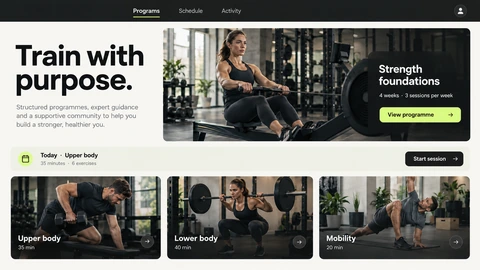
A fitness organisation connects coaches and members across clubs, with programme changes, scheduled sessions and workouts completed on intermittently connected phones.
Architecture objective: Version training plans and reconcile member activity without confusing a new programme revision with the plan under which an earlier session was completed.
Proposed technology stack and rationale
Member and coach interfaces
React Native for mobile; React and TypeScript for coach tools
Share typed domain contracts while designing each experience around its distinct task.
Application services
Laravel (PHP) with a versioned REST API
Scope queries and mutations by organisation, coach assignment and member access.
Programme records
MySQL with versioned plans and activity records
Preserve the programme revision associated with each scheduled or completed session.
Offline activity
SQLite on the device and a synchronisation outbox
Capture local commands with stable identifiers and reconcile them when connectivity returns.
Reminders and operations
Laravel queues on Redis, APNs/FCM adapters and Sentry
Treat reminder delivery as a separate operational concern from session completion.
Technical challenges and design approach
1Offline duplicate activity
A phone may resend a completed session. Deduplicate by command identity and retain a clear conflict result when the underlying plan changed.
Programme revisions
A coach can change a future plan after activity was recorded. Preserve historical versions and apply an explicit rule for affected future sessions.
Personal information boundaries
Club membership alone should not expose every member record. Authorise the actual coach-member relationship at the data boundary.
How the proposed workflow fits together
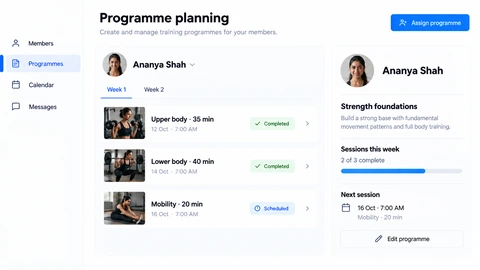
- The coach publishes a versioned programme and assigns it to a member.
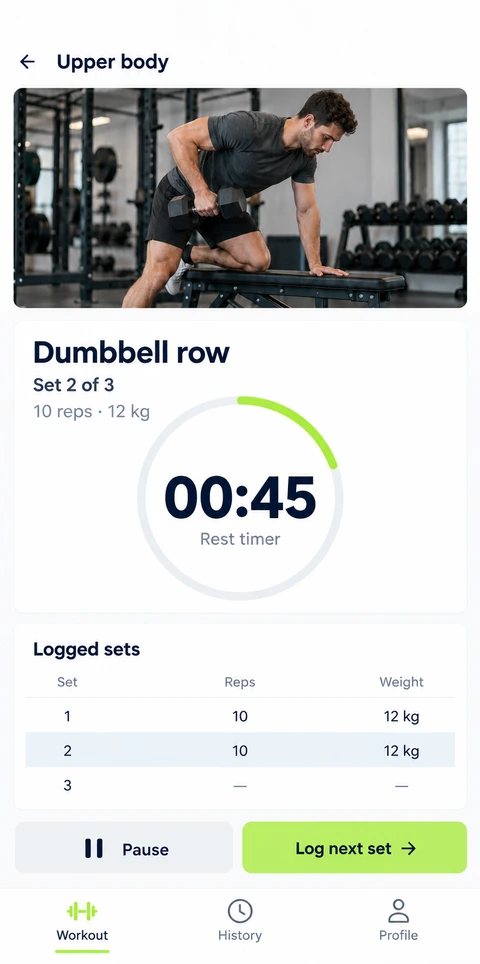
- The member downloads the assigned plan and records activity locally.
- Synchronisation submits stable activity commands with the originating plan version.
- The service accepts, rejects or flags a conflict and updates the member’s authoritative progress.
- Coach views and reminder jobs use the resulting records rather than estimating completion from app opens.
Acceptance and failure-path checks
- The same offline completion submitted twice produces one accepted activity.
- Historical progress remains attributable to the programme revision used.
- A removed coach loses access to protected member records.
- Notification failures do not change the recorded completion state.
The tradeoff
Offline support should be limited to clearly defined commands and read models. Attempting to synchronise every possible edit creates avoidable conflict and privacy complexity.
Architecture references: React Native documentation and Laravel queues. These describe engineering patterns, rather than certify this project’s implementation.