
Web & Mobile
Application Testing
Check the customer journeys that matter across agreed browsers and devices, with reproducible reports the delivery team can act on.
Discuss your project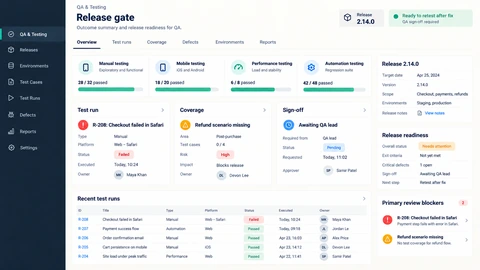
Web & mobile testing scope
Functional QA should cover what people actually do: register, submit, buy, approve or recover an account. A risk-based plan gives important workflows more attention than a long list of superficial checks.
Journey-based coverage
Define expected outcomes, roles and failure states for the flows most important to the product.
Browser and device matrix
Select representative browsers, operating systems and screen sizes based on the audience and support commitments.
Actionable defect reports
Record steps, test data, environment and observed behaviour, with severity tied to the user impact.
Planning web & mobile testing
- 1
Agree release risks
Review requirements, recent changes and prior incidents. Identify which failures would block release or require a workaround.
- 2
Run exploratory and scripted checks
Exercise normal tasks, boundary inputs, interrupted sessions and relevant accessibility interactions.
- 3
Retest and report residual risk
Verify fixes and rerun affected journeys. Summarise what was tested, what remains open and the coverage limits.
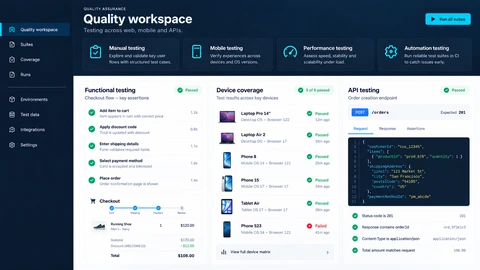
See the details.
Across every screen.
Explore the interface, then open any image at its original resolution.
Desktop experience
1 / 1Web & mobile testing
Scope, tradeoffs and preparation for your project.
Can you test without written requirements?
Exploratory review can begin from a working product, but expected behaviour still needs agreement with an owner before defects can be judged consistently.
Will testing find every bug?
No. A report should make its environments, coverage and limits explicit rather than imply complete certainty.
Does this include automated tests?
Automation is a separate choice based on repeatability and maintenance value. Manual investigation remains useful for new or changing behaviour.
How we would validate this scope
Agree the important success and failure paths before development. These proposed checks help turn the service description into a reviewable delivery brief.
- The report states the actual browser, device, environment and user-role coverage.
- Defects include reproducible steps, expected behaviour and business impact.
- Permission and failure-path tests accompany the main successful journeys.
- Release notes distinguish retested fixes from unresolved or untested risks.
Discuss your web & mobile testing project.
Share your requirements so we can agree a focused scope, dependencies and the next useful step.