
Progressive Web
App Development
Add app-like capabilities to a web experience where browser access, a shareable URL and selective offline support fit the user’s task.
Discuss your project
Progressive web apps scope
A progressive web app builds on the web rather than replacing it. Installability, notifications and background capabilities vary by browser and operating system, so the core journey should remain useful without optional features.
Reliable web foundation
Make the main task responsive, accessible and usable through ordinary browser navigation.
Offline and caching strategy
Choose which screens and data can be cached, how updates reach devices and what happens to actions made offline.
Optional app capabilities
Assess installation, push and device APIs against the browsers your audience actually uses.
Planning progressive web apps
- 1
Define the connectivity problem
Separate read-only offline content from actions that need a server response. Identify sensitive data that should not remain on a device.
- 2
Test caching and synchronisation
Exercise lost connections, stale content, sign-out and conflicting changes rather than testing only a fresh online session.
- 3
Release progressive enhancements
Check the baseline experience and add supported capabilities with clear fallbacks and update behaviour.
See the details.
Across every screen.
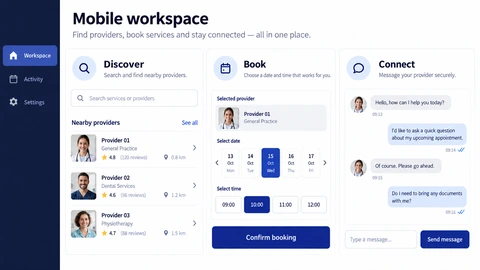
Explore the interface, then open any image at its original resolution.
Mobile experience
1 / 1Progressive web apps
Scope, tradeoffs and preparation for your project.
Can a PWA replace our native app?
It may suit browser-first workflows. Deep device integration or dependable background behaviour can favour a native or cross-platform application.
Will everything work offline?
Only features explicitly designed for it. Transactions, fresh inventory and authenticated server actions may still require a connection.
Does every browser support the same features?
No. Verify installation, notifications and device access against current platform support before promising them to users.
How we would validate this scope
Agree the important success and failure paths before development. These proposed checks help turn the service description into a reviewable delivery brief.
- The baseline journey works when optional installation or device APIs are unavailable.
- Cached content is refreshed according to the agreed version and expiry policy.
- Offline commands reconcile duplicates, changed server state and rejected updates explicitly.
- Signing out removes protected local data according to the chosen device-storage design.
Discuss your progressive web apps project.
Share your requirements so we can agree a focused scope, dependencies and the next useful step.